

Trading 212 portfolio performance tracker
that syncs automatically.

See your real return, your full allocation and every upcoming dividend, in any currency, benchmarked against the FTSE 100, the S&P 500, or any index you choose. Hold a Stocks ISA and an Invest account? Portseido shows both in one view, and keeps them up to date on its own.
Free to start · Read-only access · Portseido can never place a trade.
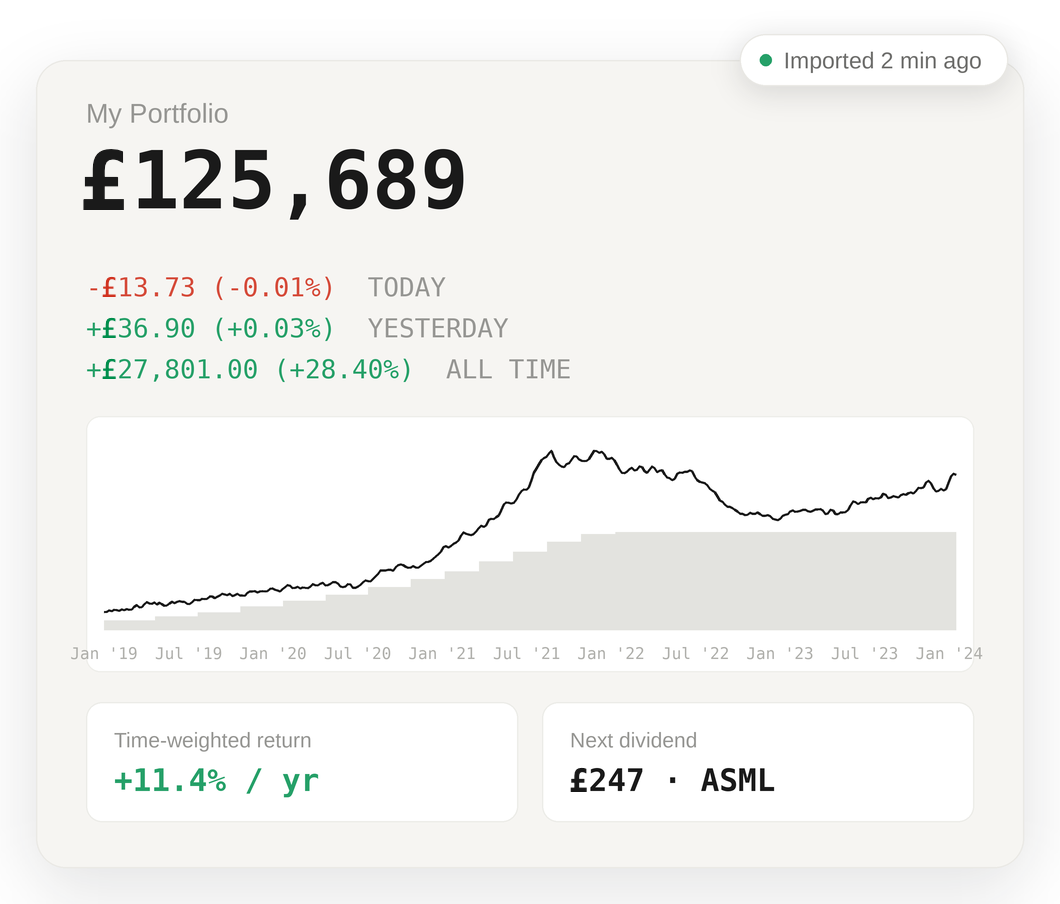
Connecting is two simple steps. Then your portfolio is analysed automatically.
Read-only access. No password. CSV import still available.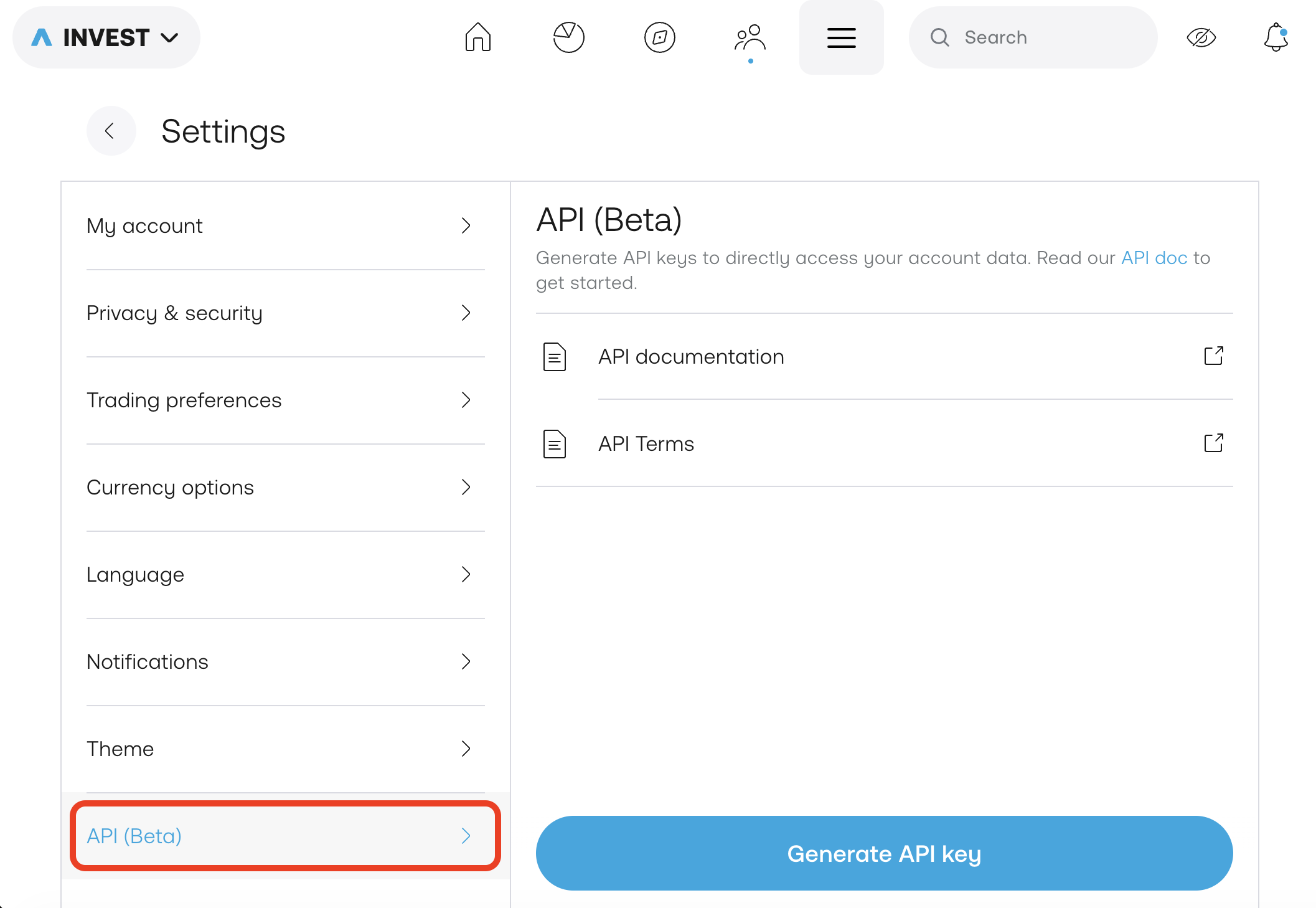
Open Settings → API (Beta) in Trading 212 and generate a key with History permissions. Full instructions.
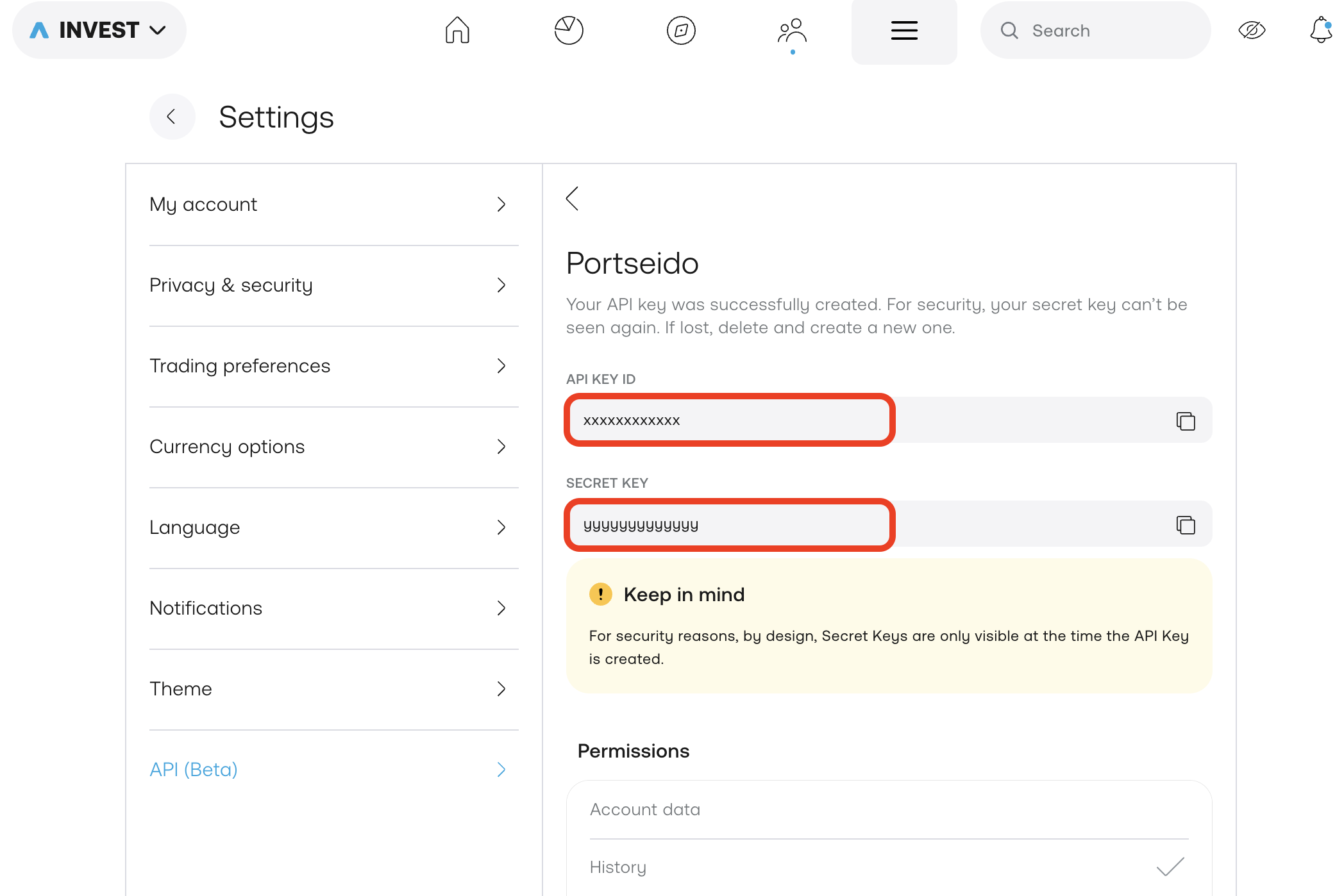
Copy the two values Trading 212 gives you into Broker Connection. We import your full history: trades, dividends and fees, in every currency.
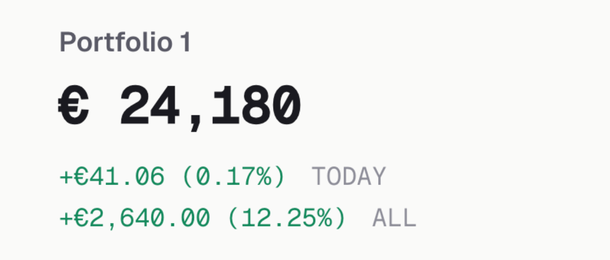
Your portfolio is ready in about 10 minutes. After that, new Trading 212 trades arrive on their own, every day.
Am I beating the market, or just depositing more?
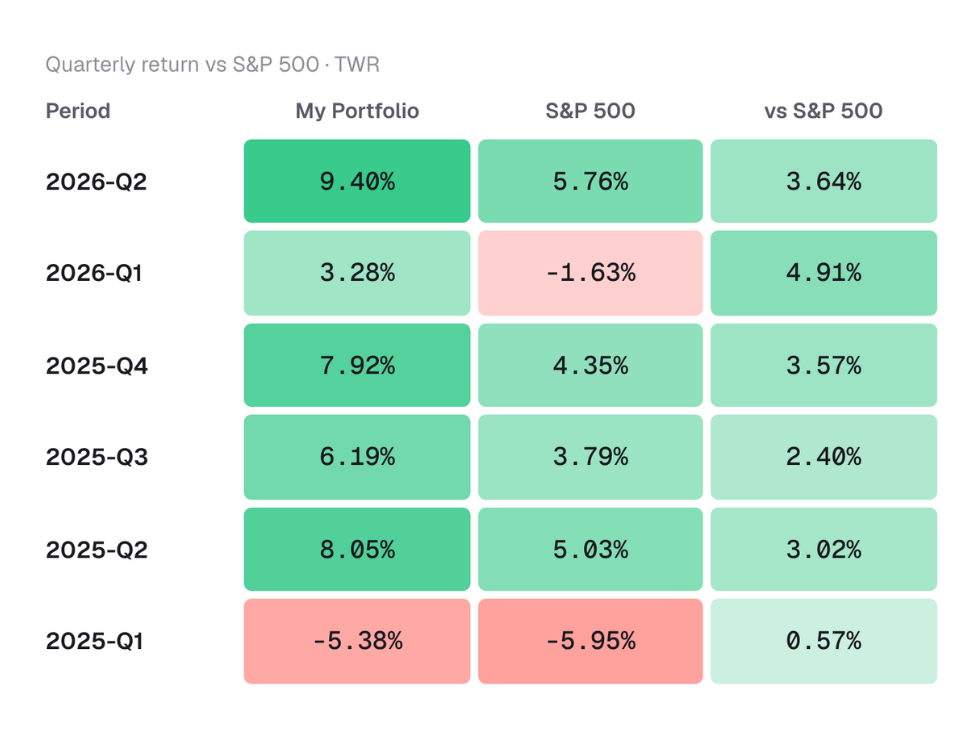
Portseido separates your skill from your savings. We compute Time-Weighted Return (TWR), the return your decisions actually produced, alongside Money-Weighted Return (MWR), which includes the effect of your contributions.
Then we benchmark both against S&P 500, NASDAQ, or any index you pick, in your own currency.
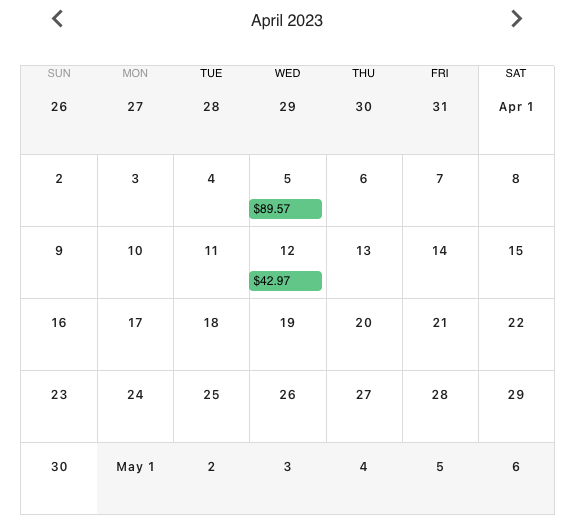
See your Trading 212 dividend income, month by month.
Every dividend is detected from your import and projected forward. See the calendar by timeframe, by holding, or by currency, plus your projected annual income and how it's growing year over year. Prefer a dedicated dividend-only view? See the Trading 212 dividend tracker.
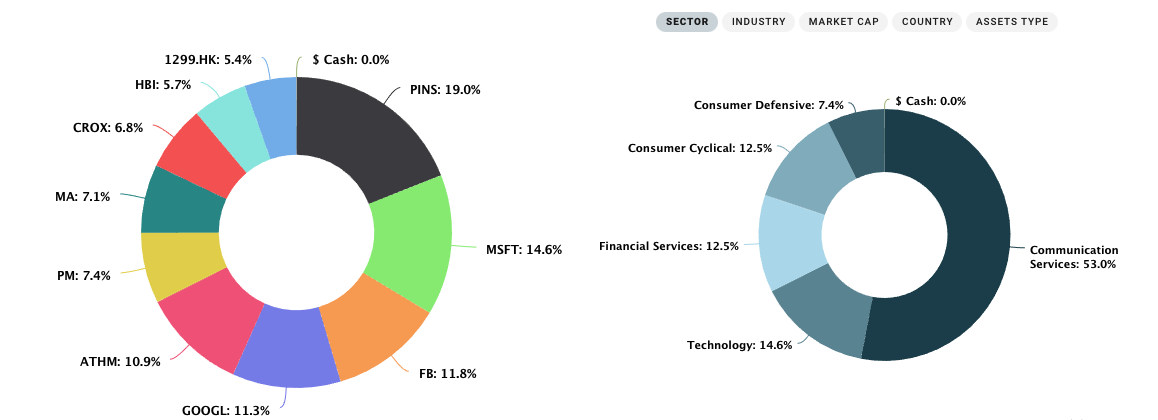
Your full Trading 212 allocation, at a glance.
Portseido turns your complete Trading 212 portfolio into one clear allocation chart. Slice by holding or asset class, and spot over- and under-weighted areas instantly.
Portseido vs. Trading 212's built-in overview
| Trading 212 overview | Portseido | |
|---|---|---|
| True return (TWR & MWR) | No | Yes |
| Benchmark vs your preferred index (S&P 500, NASDAQ…) | No | Yes |
| Forward-looking dividend calendar | No | Yes |
| Multi-portfolio & multi-broker | No | Yes |
| Rebalancing calculator | No | Yes |
| Place trades | Yes | No |
Use Trading 212 to buy. Use Portseido to understand what you bought, and how it's performing.
Built for multi-currency Trading 212 portfolios
Hold US, European, and UK stocks in one account? Portseido automatically tracks foreign-exchange effects and consolidates holdings in any currency into a single base currency you choose, so your total return is finally apples-to-apples.
Meet investors who choose Portseido
Investors across 160+ countries track their portfolios with Portseido.
Trading 212 questions, answered.
How can I connect Trading 212 to Portseido?
Which Trading 212 accounts can connect?
Is my Trading 212 data safe?
How often does my data update?
How are currency conversions handled?
See what your Trading 212 portfolio is really doing.
Investors across 160+ countries. Connect once, or start with a CSV.
Start for free · No credit card